

Think back to the last time you opened an account, bought a stock, or took out a policy. Somewhere in that paperwork, you were probably asked to name a nominee, and you likely filled it in and moved on without a second thought. Now multiply that across every bank, broker, mutual fund house, and insurer you deal with. You may have several official nominations on record and no single place that shows you all of them together.
1FCode brings nominee information into the same platform where you track investments, bank accounts, insurance and other parts of your wealth. You can maintain multiple nominees with their contact details and allocation percentages, keeping the people included in your legacy plans visible within your broader financial picture.
This guide explains why nominees matter for your investments and how you can add them on 1FCode mobile app and web platform.
Why Should You Add a Nominee to Your Investments?
Adding a nominee gives the provider holding your investment a named person who can begin the transmission process if you are no longer there. For example, with a registered nominee, a broker can usually begin transmission directly from that record. Without one, the family may first need to establish their legal right through a succession certificate or similar document before the process can even start. SEBI's revised transmission framework notes that nomination supports faster processing for this reason.
The investment remains part of your estate, but accessing it can require more paperwork and time. Register the nominee separately with each broker, depository participant, mutual fund house or other provider. You can then maintain the nominee’s details on 1FCode, giving you and your family a clearer reference within your wider legacy records.
How to Add a Nominee on the 1FCode Mobile App
1FCode is available to download on both Android and iOS. You can access the nominee section through the app settings by following these steps:
Step1: Download the App and Open Settings From the Dashboard
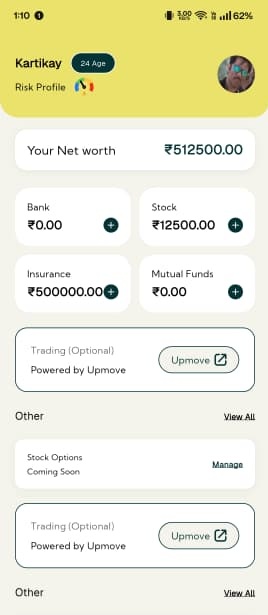 Download the 1FCode app and sign in. Your financial dashboard will appear once you log in. Tap ‘Settings’ in the bottom-right corner of the 1FCode dashboard.
Step 2: Select Nominees From the Profile Screen
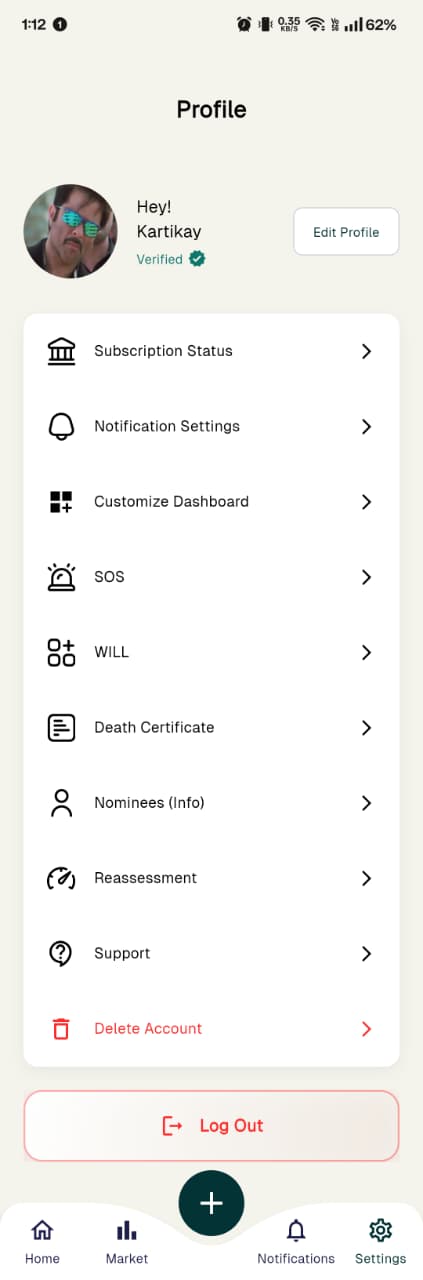 Scroll down the ‘Profile’ screen and tap ‘Nominees (Info)’.
Step 3: Tap the Plus Icon
 The Nominees screen displays the ‘Add Another Nominee’ card. Tap the ‘+’ icon inside the card to begin adding your first nominee.
Step 4: Enter and Submit the Nominee Details
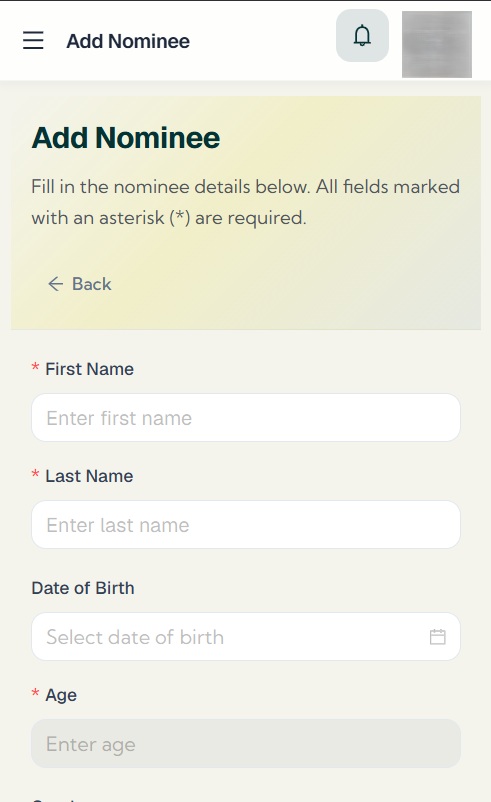 The form asks for:
- First and last name
- Date of birth and age
- Gender
- Relationship with you
- Nationality
- Allocation percentage
- Mobile number
- Email address
The saved person will appear under ‘Your Nominees’. You can return to this screen and tap the + icon whenever you want to record another nominee.
Note: Adding a nominee on 1FCode does not add or update the nominee for any specific investment, account or policy. Complete the official nomination separately with the bank, broker, mutual fund house, depository participant or insurer holding that asset.
Steps to Add a Nominee on the 1FCode Web Platform
The web platform provides direct access to the nominee section through the main sidebar. Let us review the steps in detail.
Step 1: Sign in to the 1FCode Web Platform
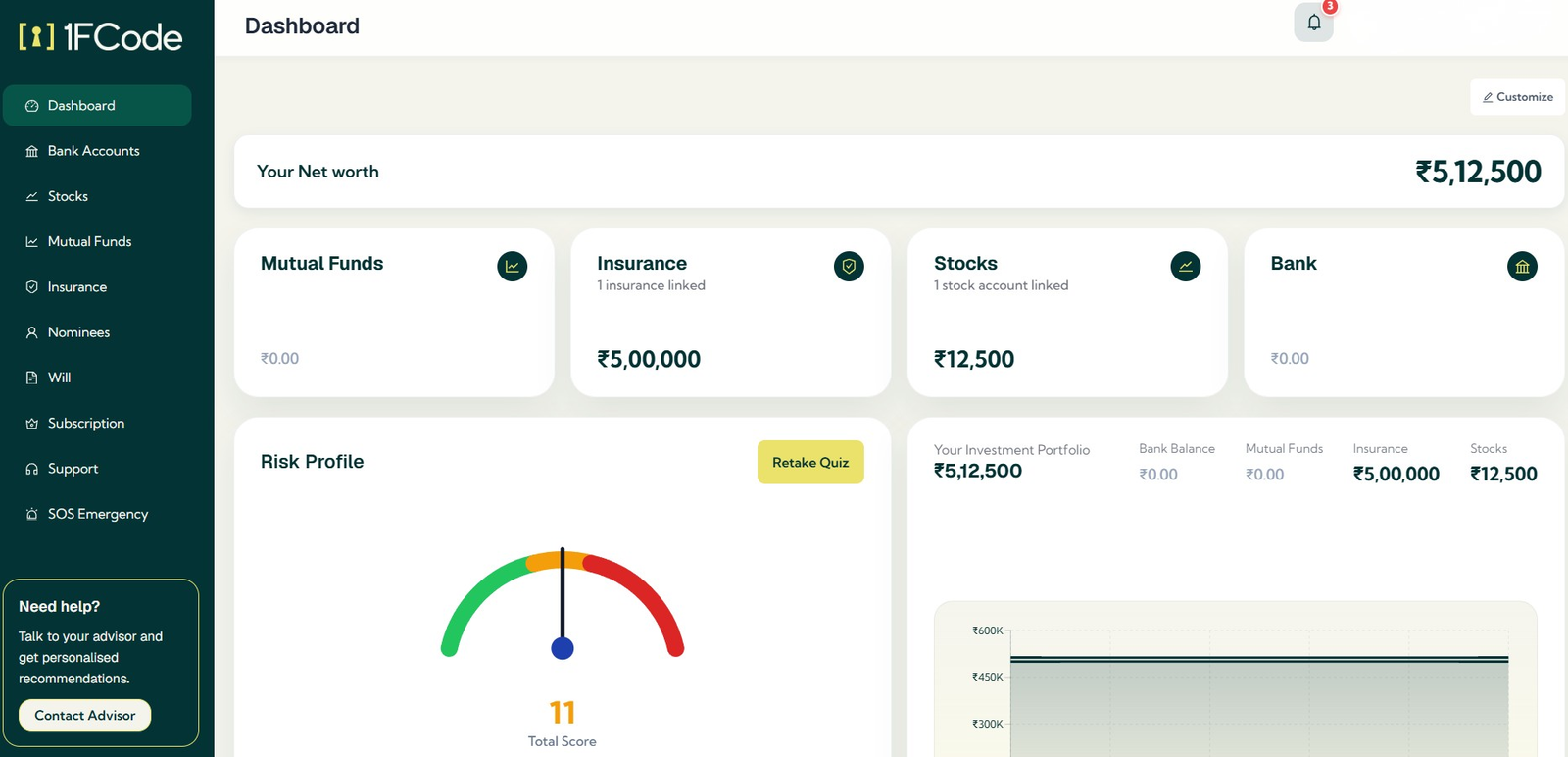 Open the 1FCode web platform and sign in to reach your dashboard.
Step 2: Open the Nominees Section
Select ‘Nominees’ from the left-hand sidebar to open the ‘My Nominees’ tab. Any nominee record you create will be saved here, where you can later view, edit or remove it.
Step 3: Select Add Nominee
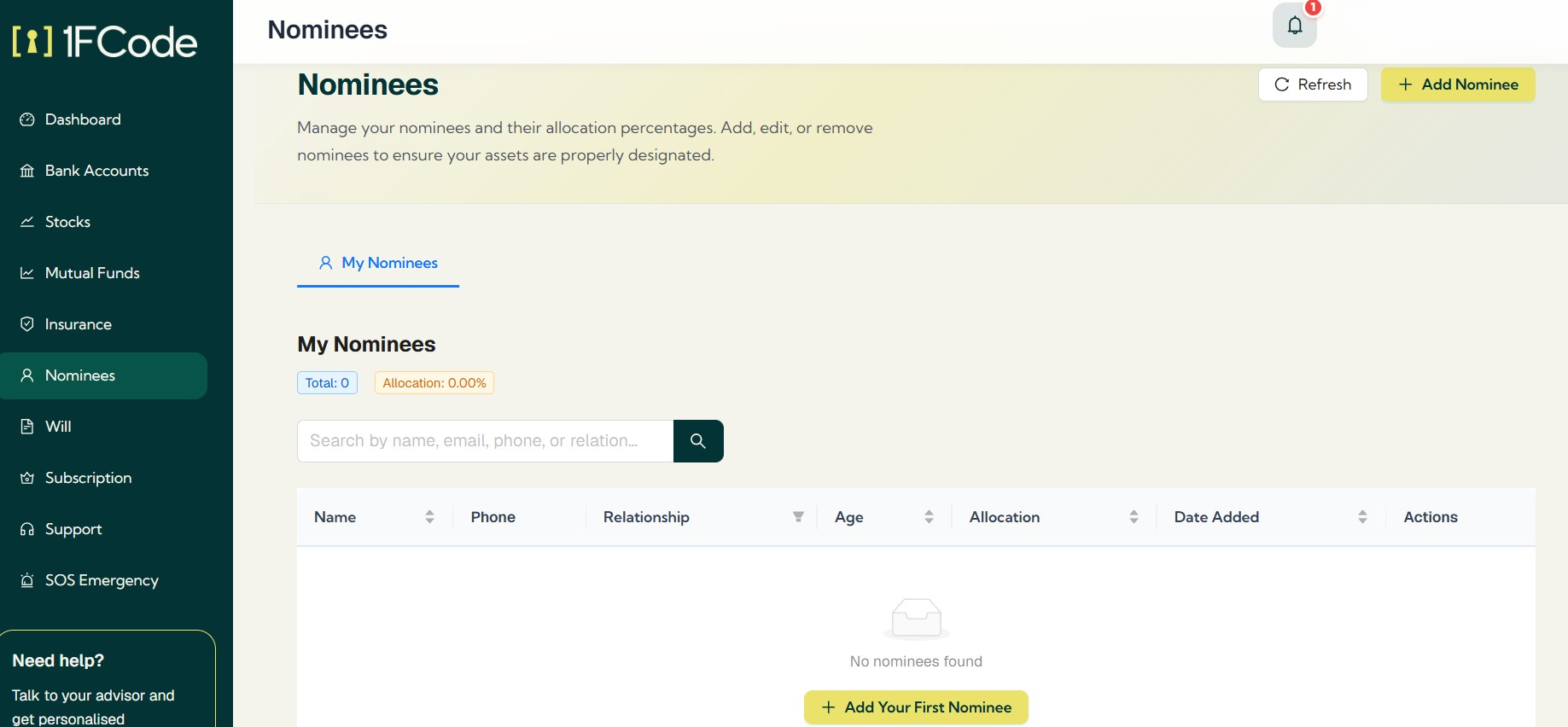 Click ‘Add Nominee’ to create a new record. If you have not recorded anyone yet, select ‘Add Your First Nominee’ from the empty nominee list.
Step 4: Enter and Save the Nominee Details
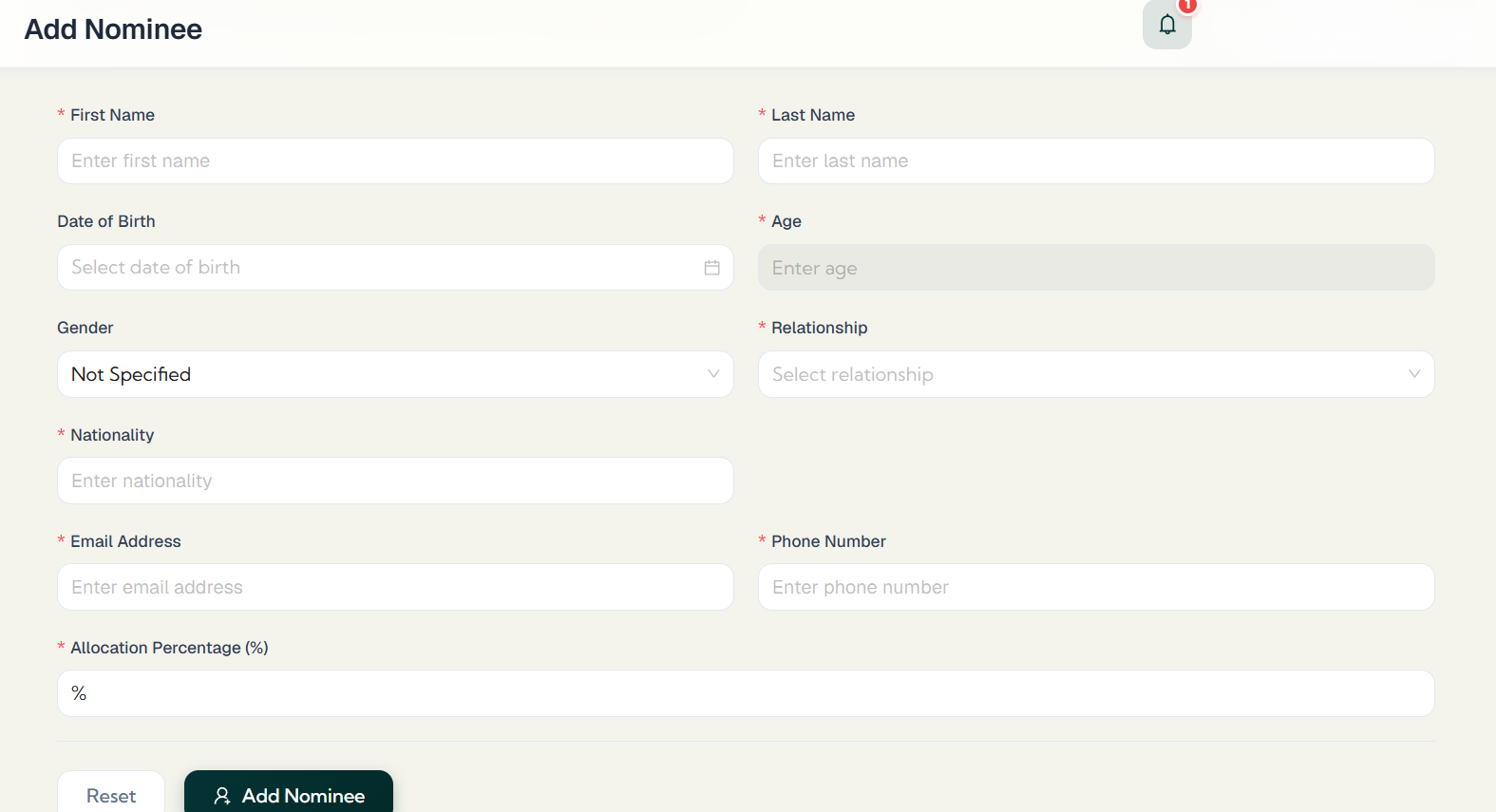 Enter the nominee’s name, date of birth, gender, relationship with you, nationality, mobile number, email address and allocation percentage.
Review the information and click ‘Add Nominee’. Once submitted, your first nominee record will appear under ‘My Nominees’.
Make Nominee Reviews Part of Your Legacy Planning
Adding a nominee on 1FCode is only the beginning. Review the record whenever your relationships, assets or intended allocations change, and make the corresponding updates with the relevant financial providers. This keeps your 1FCode information aligned with the official nominations attached to your accounts, investments and policies.
Keeping both records current turns nominee management from a one-time formality into an ongoing part of how you build and protect your legacy. It keeps the arrangements around your wealth in step with the life and family you are building.
FAQs
1. Is it mandatory to add a nominee for a demat account or mutual fund in India?
From 1 September 2026, it's mandatory for new single-holder demat accounts and mutual fund folios to either name a nominee or formally opt out with a declaration. Existing accounts and jointly held accounts aren't affected by this deadline; SEBI's approach for those is to send periodic reminders, not to restrict access.
2. Does 1FCode Officially Register Your Nominee?
No. Adding a nominee on 1FCode creates a record within the platform. You must register or update the official nominee separately with the relevant bank, broker, depository participant, mutual fund house or insurer.
3. Does adding a nominee on 1FCode replace the need for a Will?
No. The nominee record you add to 1FCode does not replace a properly prepared Will or an official nomination registered with a financial provider.
4. Can I keep nominee details with my investment and insurance records on 1FCode?
Yes. You can maintain nominee details alongside the investments and insurance policies you track on 1FCode. This gives you and your family a clearer reference to the arrangements connected with your financial records.
5. What other financial information can I manage on 1FCode besides nominee records?
You can track bank accounts, investments, insurance, loans, EMIs, taxes, liabilities, net worth, risk and estate records.