When Meera's father left for a month to visit her brother in Canada, the insurer sent a notice. A premium was due in ten days. Meera knew the family had a policy. However, she didn't know the policy number, which account paid it or whether the payment was automatic.
Her father was asleep on the other side of the world. A few late-night calls sorted it out. But the episode showed her how much of the household's finances lived only in her father's head: the fixed deposits, an old SIP, and a couple of mutual fund folios.
If you are the person in your family who knows where everything is, you can share that knowledge before anyone needs it. This guide shows you how to do that with 1FCode.
What Is 1FCode As A Platform?
1FCode is a legacy management and planning platform that helps you organise the information behind your family’s financial security. It brings supported bank account details, investments, insurance, liabilities and estate records into one connected view.
With one account, you can:
- See your finances in one dashboard. View bank accounts, stocks, mutual funds and insurance by category, along with your overall net worth.
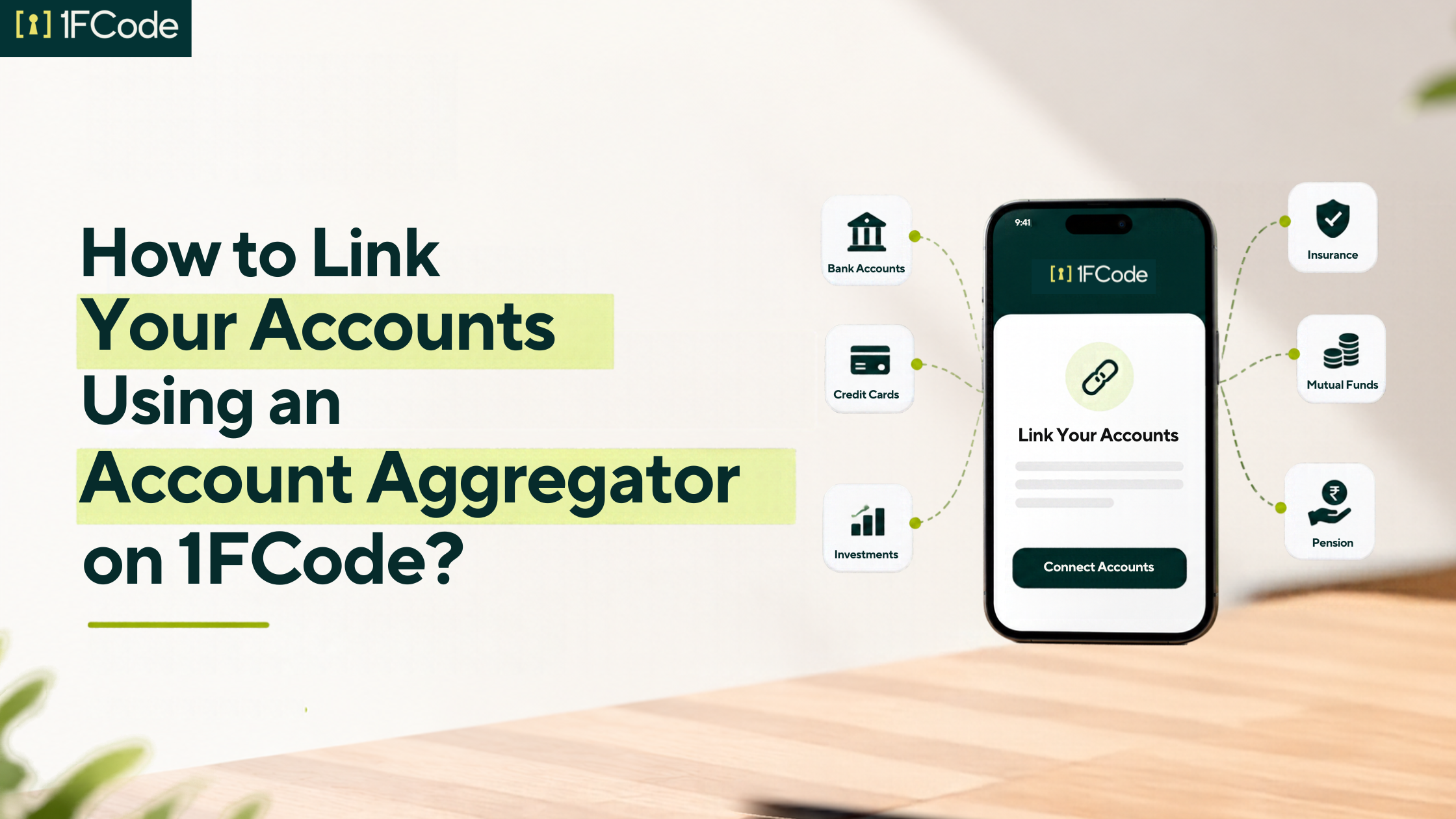
- Link or add your records. Connect supported providers through the consent-based Account Aggregator framework, or add anything else manually.
- Organise your legacy records. Maintain your nominees with their allocation and contact details, and upload your signed Will in Will Management.
- Review your risk profile. Take a short quiz and retake it when your situation changes.
- Get help when you need it. Raise a support ticket, use the adviser-access option or start an SOS Emergency request when an institution needs to be informed.
You can sign up on 1FCode through the web or download the app for Android and iPhone.
How Does It Support Your Financial Legacy?
1FCode brings your assets, loans, policies and nominee arrangements into one record your family can refer to when you're unavailable to explain them.
Take an unexpected hospital stay. Your spouse may need to pay a premium or find a policy you usually manage. Knowing that you have insurance helps little if they can't identify the insurer or the policy number. You can use the information in 1FCode to walk them through what supports the household, which commitments need attention and where each arrangement is recorded.
That way, your financial knowledge doesn’t have to sit with one person.
Step-by-Step: Set Up Your Financial Records on 1FCode
Start with the accounts and commitments your family would need to identify if you were unavailable. Keep recent statements and policy documents ready so you can enter accurate details and check the information already connected to 1FCode.
Step 1: Create or Review Your Profile
Register with your mobile number, complete OTP verification, then enter your personal details. If you already use 1FCode, review your profile before adding further information. Use details consistent with your financial documents. This makes it easier to recognise whose holdings you're recording, especially when investments are with the same provider.
Step 2: Connect Your Bank Accounts and Investments
Open the relevant category, such as Bank Accounts, Stocks or Mutual Funds. On the web platform, these appear in the left-hand menu. On mobile, open the category from your account.
You can add information in two ways:
- Link through Account Aggregator: Account Aggregator is an RBI-regulated framework for sharing financial data with your consent. Choose a supported provider, approve the consent request, and the Account Aggregator fetches the account and holding details the provider shares. You do not need to share your net banking or broker passwords. 1FCode’s manual and automatic tracking guide explains both routes in detail.
- Add manually: Use this for anything you can't link, such as an older folio, an account with an unsupported provider or a holding you prefer to enter yourself. Take the details from your latest statement, and upload the statement with the record.
After connecting a provider, check which accounts and holdings appear. Include older investments that your family may not know about, rather than stopping at the ones you use regularly. Our manual and automatic tracking guide explains both routes in detail.
Step 3: Record Insurance and Outstanding Commitments
Open Insurance and link or add each policy with its provider, policy number, sum assured and premium details. Include older policies bought through an agent or a bank, since your family is least likely to know about them.
Then record what you owe, such as loans, active EMIs and credit card balances. If you don't have an EMI figure to hand, 1FCode’s EMI calculator can work it out from the loan amount, interest rate and tenure. Your family needs to see what is still payable, not only what you hold.
Step 4: Check What the Dashboard Actually Represents
Compare the completed view with your statements and policy documents. Look for missing holdings, incorrect entries and accounts added through both manual and connected routes.
Keep these distinctions clear:
- An investment's value is a snapshot from the last update, not a fixed amount.
- An insurance sum assured is potential cover, not cash currently available.
- A manually entered balance stays as you entered it until you edit it.
Resolve gaps before walking your family through the dashboard. They should be able to recognise what each entry represents without reconstructing it from an unexplained figure.
Organise Nominees, Documents and Family Access
Once you've entered your financial details in 1FCode, organise the supporting documents and the people who will rely on them.
Keep Supporting Documents with the Relevant Records
A dashboard balance tells your spouse how much an account holds, but a bank will ask for more. An attached statement shows the account and branch details, so your family can approach the right place with the right information. When you add a record manually, upload its statement or policy document in the same form.
Record Nominees and Review Official Nominations
Add “Nominees” in 1FCode and record each nominee's name, relationship, age and allocation. Compare these entries with the nominations registered with your banks, brokers, fund houses and insurers. Where they differ, update the nomination with that institution.
Changing 1FCode alone does not change the institution's records. Tell each nominee which institutions name them, so they know where to go when it matters.
Keep Your Will in Will Management
Your executor needs to find your estate instructions. Store your latest signed Will in Will Management and let them know where the original is held. Storing your Will in 1FCode doesn’t make it valid, and allocation percentages recorded in 1FCode can’t replace it. It keeps your legacy-related documents in one place, so they are easier to find.
Your Legacy Includes What Your Family Knows
Your financial legacy includes the assets you build and your family’s ability to find them, understand them and act on them without calling you first. That is legacy continuity: what you built can still be found and used when you are not there to explain it. It needs upkeep. Accounts open and close, nominees change, and an old Will may no longer reflect your wishes.
You can begin with a single category. Insurance policies are often the hardest for a family to trace, so some people start there. Walking the person most likely to step in through what you’ve recorded is what would have saved Meera her late-night calls.
Creating a 1FCode account is free. The ₹365 annual plan, about ₹1 a day, covers tracking your bank accounts, investments, insurance and loans in one place, along with your nominee records and Will. You can sign up on the web or download the app from Google Play or the App Store.
FAQs
What happens if my nominee dies before me?
It depends on the asset. For demat accounts and mutual funds, if you don't update the nomination, that nominee's share goes to your surviving nominees in proportion. For bank accounts, a successive nomination lets the next nominee in line step in. If you named only one nominee, your legal heirs receive the claim.
Can I name a minor as a nominee?
Yes. You'll also need to name a guardian or appointee who receives the money on the child's behalf until they turn 18. The guardian or appointee is usually someone the family trusts. You can record that person’s details alongside the nominee on 1FCode.
Do I still need nominees if my accounts are held jointly?
It is optional for joint demat and mutual fund accounts, but it can still matter. If one joint holder dies, the surviving holder usually continues with the account. A nomination comes into play if all the holders die, for example in the same accident. Without one, your family has to establish their claim as legal heirs.
How often should I update my 1FCode record?
There is no fixed schedule. It helps to update your record after any major change, such as a marriage, a birth, a new account or policy, a closed loan or a nominee’s death. Linked accounts may refresh through Account Aggregator, but manual entries change only when you edit them.
What happens to my 1FCode records after I die?
Family members or nominees you have given access to can use your 1FCode account to see the bank accounts, investments, insurance and documents you recorded. However, your family must still contact the relevant banks, fund houses or insurers to claim any assets.